 RIDEBOX
Internet only for your account
The connection is used to sign up, sign in and confirm your access when the app opens. Your rides never go through it.
RideBox connects your Bluetooth sensors and smart trainer straight to your computer. Real-time metrics, structured workouts and a 3D route simulator — with every ride saved to your disk, not to a server.
Internet only for your account. Your training stays on your computer.
The connection is used to sign up, sign in and confirm your access when the app opens. Your rides never go through it.
Every ride is a file on your computer, in a folder that belongs to your account. No session is sent to a server.
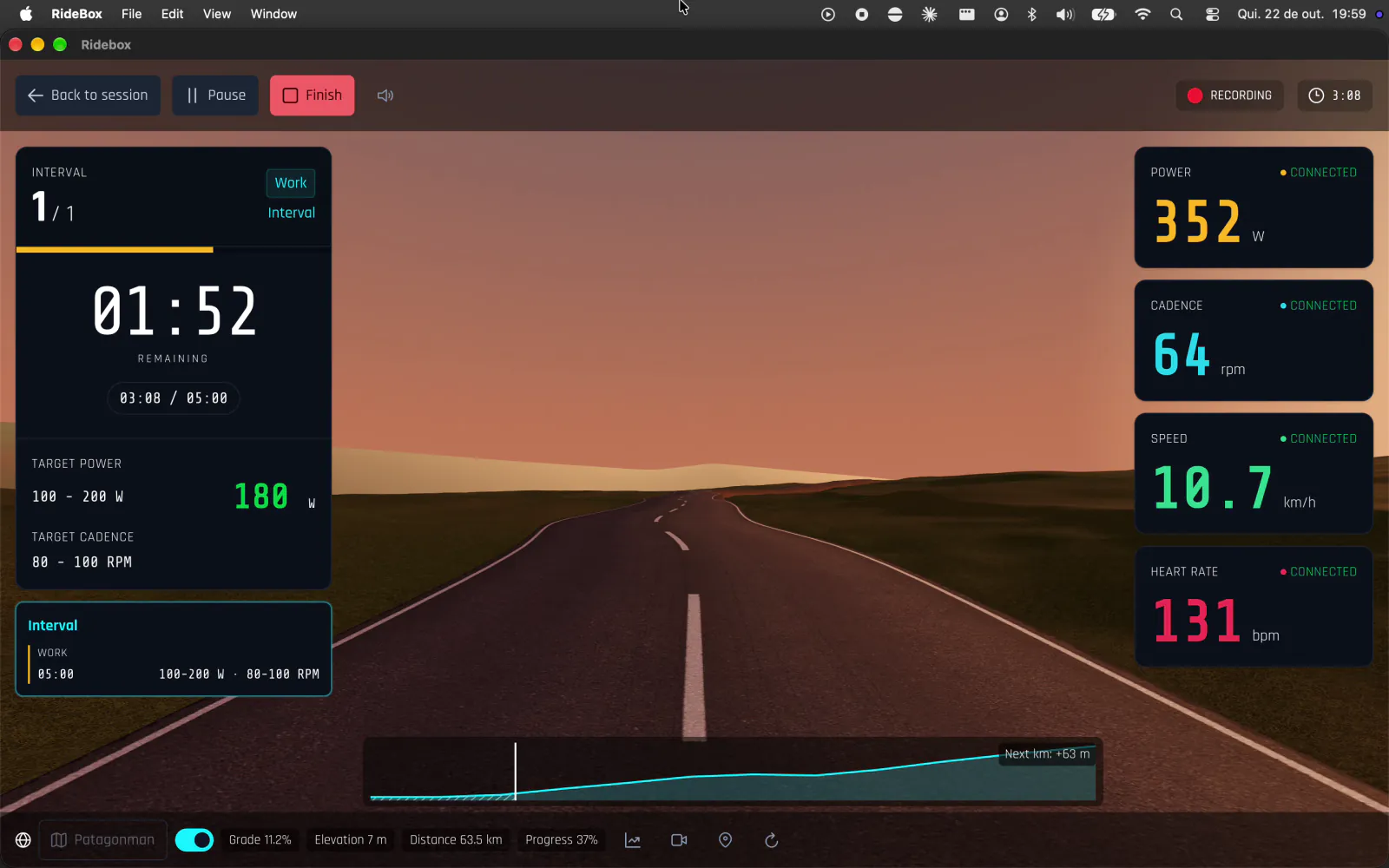
Sensors and smart trainer talk straight to the app, no middlemen. Data on screen in under 200 ms.
No automatic uploads, no social feed, no mandatory sync. Want to take a ride to another platform? Export it as .tcx.
Install the app and sign up with your name, email and password the first time you open it.
The app finds power meters, cadence, speed, heart rate straps and smart trainers over Bluetooth — several at once.
Free ride, structured workout or a route in the 3D simulator. Everything recorded locally, every second.
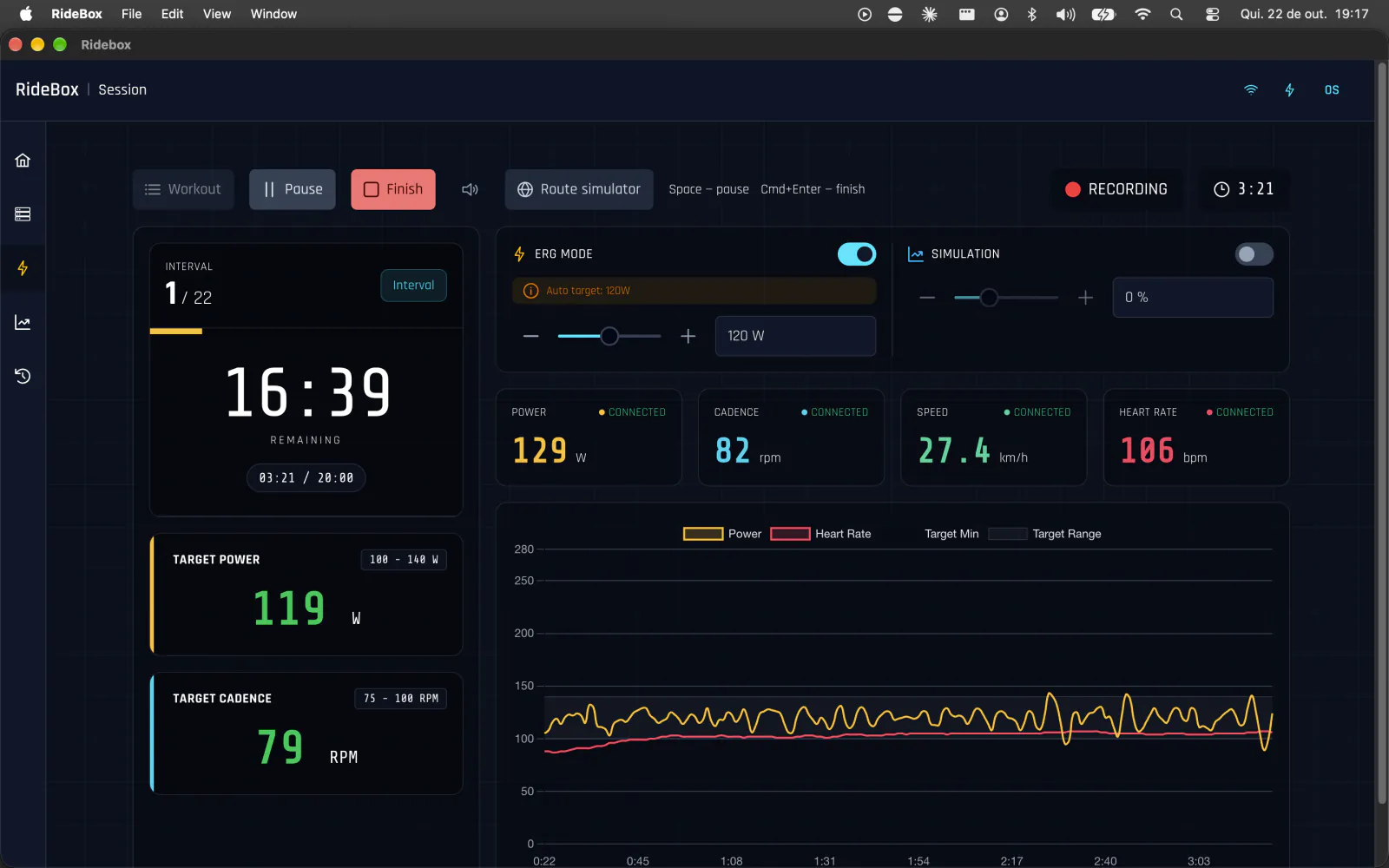
In ERG mode the trainer holds your target power — in structured workouts the target follows each interval and can be nudged ±5% mid-ride. In Simulation mode resistance follows the grade, set manually or by the route.
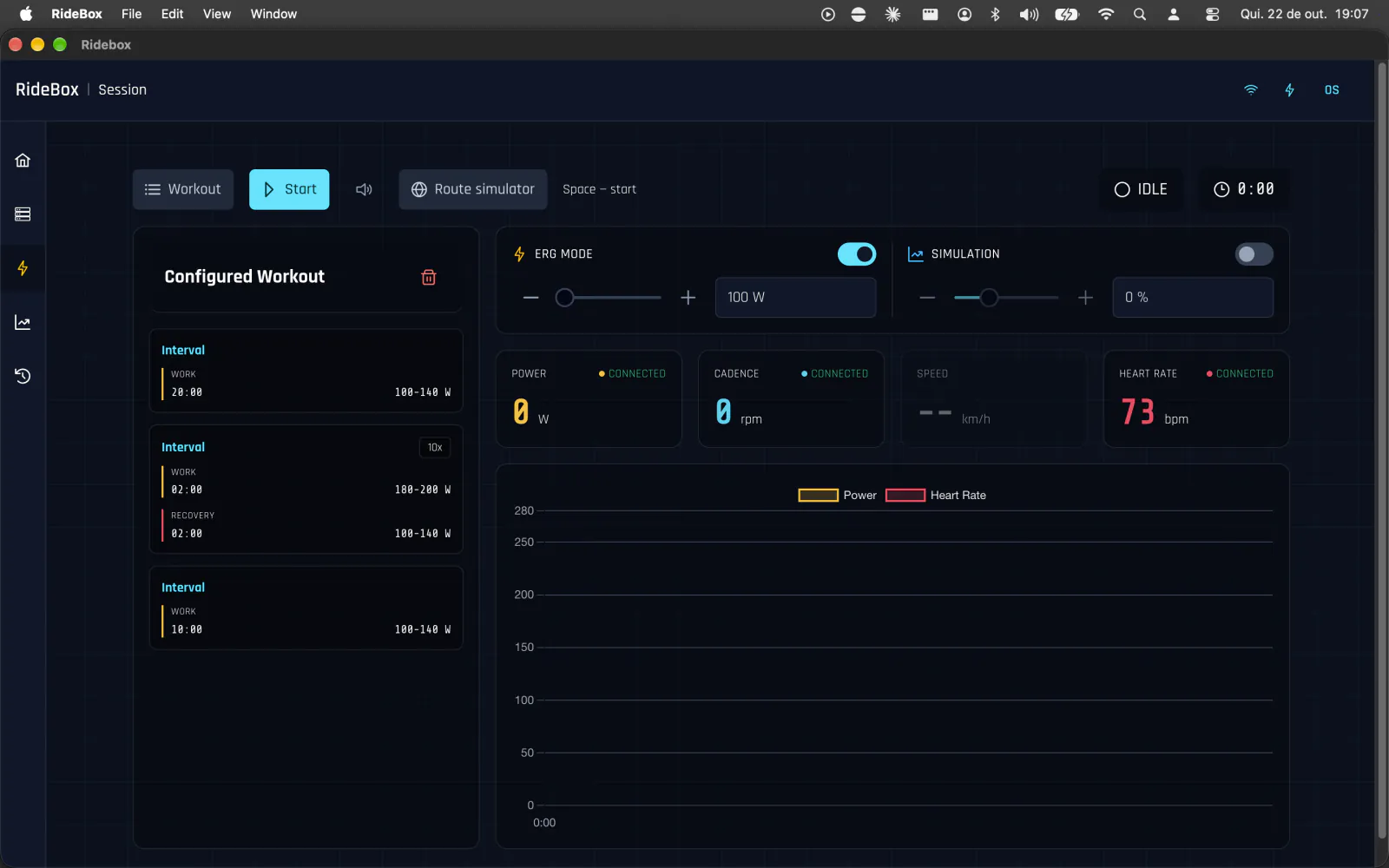
A 3D scene rolls along the route at your actual riding speed. With a smart trainer, the route’s grade becomes real resistance. Speed accounts for climbs and descents — 300 W on a 5% climb is not the same as on the flat.
Visual power and cadence targets, 3‑2‑1 countdown and audio alerts. Import and export workouts as .fit. Power and heart rate zones calculated from your FTP (Coggan model), with your current zone on screen in real time.
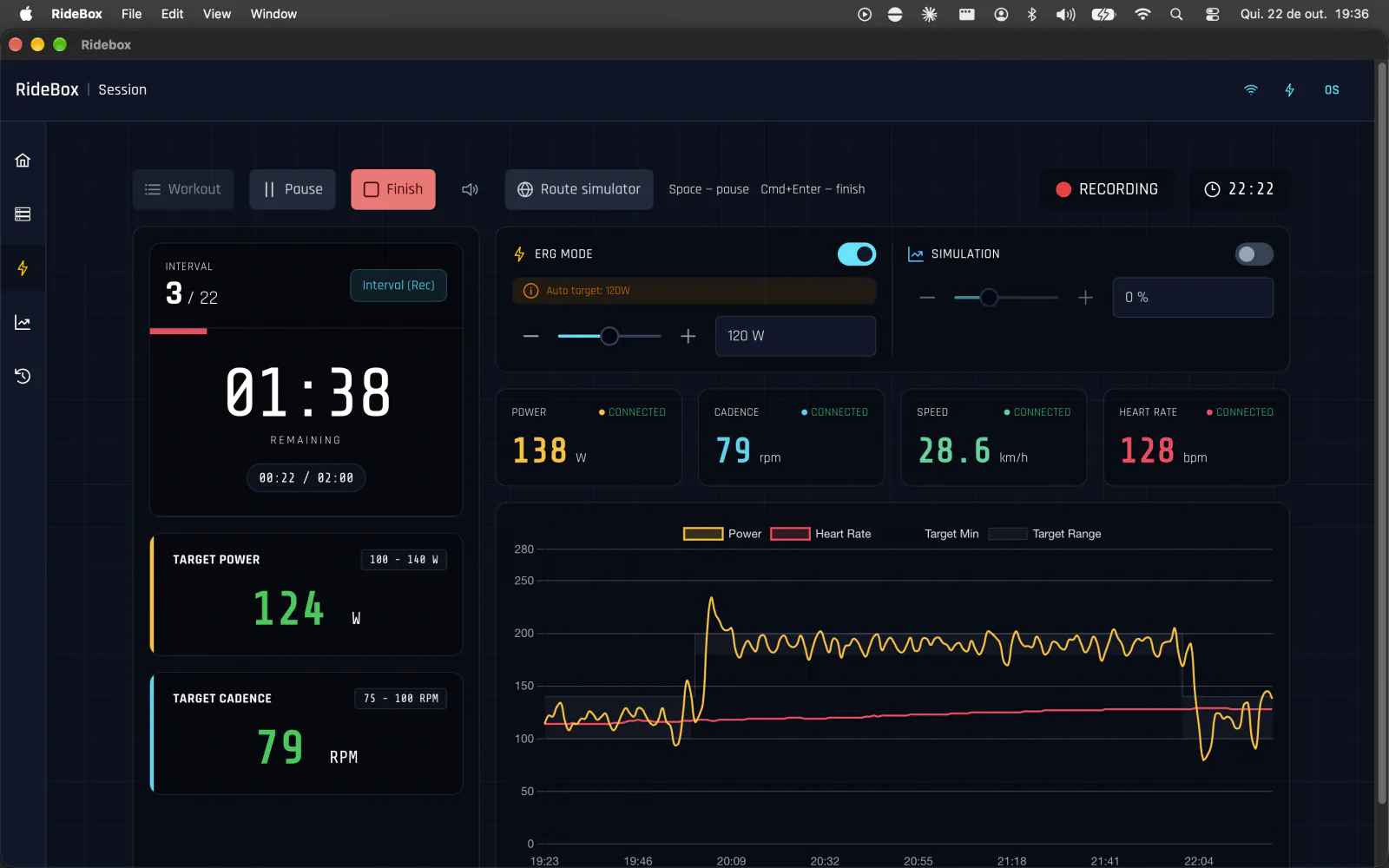
Power, cadence, speed and heart rate updated every second, on a dashboard that adapts to the sensors you connect. Full screen in immersive mode, and keyboard shortcuts so your hands stay on the bars.
Cards or a sortable table, fast even with hundreds of sessions.
Power, cadence, speed and heart rate charts; averages, maximums, distance and calories.
Take your rides to any platform that accepts .tcx.
Tests such as FTP run as guided workouts, with the result calculated at the end.
Each account has its own data folder, isolated on disk.
Bilingual interface, with km or miles.
Power and heart rate zones calculated from your FTP and threshold heart rate.
No avatars, leaderboards or feeds. The 3D simulator is optional.
RideBox uses the official Bluetooth SIG profiles. If your sensor speaks Bluetooth (BLE) with these profiles, it talks to the app.
| Type | BLE profile |
|---|---|
| Heart rate strap / sensor | Heart Rate Service (HRS) |
| Cadence and speed sensor | Cycling Speed and Cadence (CSC) |
| Power meter | Cycling Power Service (CPS) |
| Smart trainer | Fitness Machine Service (FTMS) |
ANT+ is not supported. Requires a computer with Bluetooth 4.0 or later.
No fine print: this is the complete list.
What’s free today stays free.
To sign up, sign in and open the app — on launch, RideBox confirms your account online. From there, training happens on your computer: sensors, recording and history. No training data is sent.
No. Each session is saved as a local file in your account’s folder, and only leaves your computer if you export it.
Right in the app, the first time you open it: name, email and password.
If it supports FTMS over Bluetooth — the standard on most current trainers — yes, with ERG and Simulation modes.
Yes: export the session as .tcx and import it wherever you like.
Apple Silicon for Macs with an M1 chip or newer; Intel for the rest. To check: Apple menu → About This Mac → Chip or Processor.
Yes, there is a Windows installer. Linux is on the roadmap.
No. RideBox uses Bluetooth (BLE) only.
No. The focus is your training and your data.
The app is free. A Premium plan with extra features, such as importing your own GPX routes, is on the way — and what’s free today stays free.
Download RideBox, create your account and connect your sensors in a few minutes.
Version 2.1.1 · Requires Bluetooth 4.0 or later